I've been sitting at home with my kids for a several weeks now and it's been a difficult time for me, but a couple of interesting things happened that I want to share with you.
First of all, Blobby Volley got featured in an article on GamesKeys as an underrated arcade game to play. I never contacted them, so it was a nice surprise to find out that people liked my game. I recommended Find a Way to them as well and they might write about it in the future.
I bought Affinity Designer and Affinity Photo when they were 50% off. They should help me make better icons and graphic resources for my apps.
People have been writing to me regarding my apps. I made a couple of bug fixes in Unity Ads Stats because the numbers were incorrect in some rare cases, as one of my users pointed out and helped me track the issue. Also, a couple of months ago I made a small app for my brother-in-law, who is a forester. It was supposed to help him count trees and estimate their volume. I made a simple prototype and published it on Google Play as a beta, so that it was easier for him to install. As it turned out, someone else found the app, started using it and came back to me with feedback. I couldn't help myself and I implemented some of the suggestions. Perhaps it's a sign that I should polish it a bit and publish a final version?
When it comes to the promotion of Find a Way, I didn't do anything new. I'm still considering paying a small amount for ads on Google and Facebook, just to see how they work and how many users I can get with them. It's hard for me to start though, because I don't even know where to begin.
I also forgot to mention that I started working on a new app for my wife. She has a Facebook group and a newsletter with events for children and parents. I was thinking that the app might be useful, because browsing and filtering Facebook events or emails is very inconvenient. I already made a small prototype using Firebase Realtime Database. It looks promising but I'm not sure how to add events to the database in a user friendly way, so that non-technical people can do it.
To sum up, I had a rough start into the quarantine, but I've managed to organize myself well enough now to be able to put in some hours into my apps. I still get very excited about them, to the point where I can't sleep. I might be spreading myself thin though, with all those little changes and improvements that I do to all of them. And I'd like to improve controls in Blobby Volley too. We'll see what I'm actually capable of soon...
Showing posts with label blobby volley. Show all posts
Showing posts with label blobby volley. Show all posts
Saturday, April 4, 2020

Sunday, October 22, 2017
Blobby Volley - multiplayer is coming
Almost 80h of work after releasing the single player version, Blobby Volley multiplayer is coming to a close. I already have a playable, although somewhat rough and buggy, version implemented. I expect the final polishes to take another month.
To be honest, I'm getting a bit tired of working on the game already. I'd like to finally see some results and find out if people will like it. Hopefully, I'll be able to reach my goal soon enough.
In the meantime, I'd like to share with you some stats from the game, as I promised some time ago.
There are around 770 players every month, almost 250 per week and more than 50 a day.
All players spend a total of 4h to even 8h in the game per day and they usually open Blobby Volley just once.
Most players come from India, Germany and Iran.
I earn around $5 per month on the game, which is a miserable amount and I hope that implementing multiplayer will improve it.
The stats come from Firebase and Unity Ads console.
Now keep your fingers crossed for Blobby Volley Online getting finished soon. I'll do my best to get the game polished in as little time as I can. I might release a beta version in the meantime, so you might want to sign up for the beta program on Google Play, if you haven't done it already.
To be honest, I'm getting a bit tired of working on the game already. I'd like to finally see some results and find out if people will like it. Hopefully, I'll be able to reach my goal soon enough.
 |
| Blobby Volley - main menu with multiplayer |
In the meantime, I'd like to share with you some stats from the game, as I promised some time ago.
 |
| Blobby Volley - active users |
There are around 770 players every month, almost 250 per week and more than 50 a day.
 |
| Blobby Volley - engagement |
All players spend a total of 4h to even 8h in the game per day and they usually open Blobby Volley just once.
 |
| Blobby Volley - location |
Most players come from India, Germany and Iran.
 |
| Blobby Volley - demographics |
Most players are male - only one in five is a woman. I have some players who are more than 65 years old.
 |
| Blobby Volley - earnings |
I earn around $5 per month on the game, which is a miserable amount and I hope that implementing multiplayer will improve it.
Now keep your fingers crossed for Blobby Volley Online getting finished soon. I'll do my best to get the game polished in as little time as I can. I might release a beta version in the meantime, so you might want to sign up for the beta program on Google Play, if you haven't done it already.
Sunday, July 23, 2017
Blobby Volley is out on Google Play!
Blobby Volley, the game that I've been working on since March, has finally been published. You can find it on Google Play. Give it a shot and play it if you haven't done it yet.
The whole project took me 142.5h to complete but I didn't just rewrite the AndEngine version of the game. I added analytics, Unity Ads, better AI, a menu system, more options and other stuff. I'm planning to work on the multiplayer now. I already started reading the manuals.
I'm curious to see if people will like the new version of Blobby Volley and whether the new video ads will bring any revenue. I'll keep you posted on the stats.
If you have any feedback, make sure to post it in the comments or email me directly. I'll also be grateful for any honest ratings and comments on Google Play.
Happy playing!
The whole project took me 142.5h to complete but I didn't just rewrite the AndEngine version of the game. I added analytics, Unity Ads, better AI, a menu system, more options and other stuff. I'm planning to work on the multiplayer now. I already started reading the manuals.
I'm curious to see if people will like the new version of Blobby Volley and whether the new video ads will bring any revenue. I'll keep you posted on the stats.
If you have any feedback, make sure to post it in the comments or email me directly. I'll also be grateful for any honest ratings and comments on Google Play.
Happy playing!
 |
| Have you been able to see this screen yet? |
Monday, July 10, 2017
How to reduce a Unity Android game size by 10MB
I'd been working on my Blobby Volley game remake for a while and I'd been wondering why the output apk file was so large. The game used to have a size of around 3MB when it was written using AndEngine. So how did it grow to more than 25MB in Unity? I might have added some additional code but the graphic assets and sounds were all the same. I decided to investigate it a bit further.
I took the generated apk file and I put it in the apk analyzer tool that's built into Android Studio. You can find it in "Build/Analyze APK...". The results were quite interesting and led me to some further steps. BTW, if you don't know how to handle Android Studio, you can just change the apk file's extension to zip, unzip the file and analyze its contents manually. It won't be as efficient but it'll do.

What I soon found out was that what took the most space in the apk file were not my graphic assets nor my code but the native libraries in the lib folder. They were split into two subfolders: x86 and armeabi-v7a each of roughly 10MB.

I went to the Build Settings (File/Build Settings...) and I found Other Settings/Configuration/Device Filter. It was set to FAT (ARMv7 + x86). I switched it to ARMv7, built it and then did the same for x86, saving it in a different file and incrementing the version name and version code beforehand (Other Settings/Identification/Version and Other Settings/Identification/BundleVersionCode).

Then I followed the official Multiple APK Support guideline to publish both apk files on Google Play. It was quite simple. I just published the first file the normal way. With the second file, I removed the first version form APKs to deactivate, so it moved to the APKs to retain section.


I took the generated apk file and I put it in the apk analyzer tool that's built into Android Studio. You can find it in "Build/Analyze APK...". The results were quite interesting and led me to some further steps. BTW, if you don't know how to handle Android Studio, you can just change the apk file's extension to zip, unzip the file and analyze its contents manually. It won't be as efficient but it'll do.

What I soon found out was that what took the most space in the apk file were not my graphic assets nor my code but the native libraries in the lib folder. They were split into two subfolders: x86 and armeabi-v7a each of roughly 10MB.

I started thinking if I could get rid of some of them and it turned out that I could. The answer was to build the project for each architecture (arm and x86) separately and then publish them both on Google Play. This way each version would be around 15MB in size and it would be distributed to appropriate, compatible devices automatically. Here's how I did it.
I went to the Build Settings (File/Build Settings...) and I found Other Settings/Configuration/Device Filter. It was set to FAT (ARMv7 + x86). I switched it to ARMv7, built it and then did the same for x86, saving it in a different file and incrementing the version name and version code beforehand (Other Settings/Identification/Version and Other Settings/Identification/BundleVersionCode).


This way, I have two active apk files now, both with a different version name and version code and both targeted at different device architectures. When someone installs my game from Google Play, they get only the version compatible with their device, which is now 10MB lighter. Yes, it costs me a bit more work to create two separate apk files and then publish them on Google Play but I think it's worth the effort. I created a script that builds the two versions from the command line but it's a subject for a different post perhaps.

I hope my investigation will help you make your Unity Android game leaner too. If something is not clear for you, make sure to post your questions in the comments and I'll do my best to answer them.
Sunday, July 2, 2017
Blobby Volley 2.0.9-2.0.13
I've released a couple of new versions of Blobby Volley since the last blog post, mostly with minor upgrades. I decreased the difficulty and I made "very easy" the default one. I fixed the icon resolution. I decreased the walking speed so the game is more about strategy and less about quick movement. I also fixed some bugs.
I had major problems with project building and extra permissions that were added to the apk file. I managed to find a solution to everything eventually, but it consumed a huge amount of time (>10h).
In the last two weeks I was able to work for 17.5h, which makes a total of 122h.
As the basic version of the game is coming to a close, I started reading about implementing multiplayer. It's not going to be an easy task and it's going to take a lot of time, but it should be fun.
As a closing note, I want to thank my beta testers, in particular Tyna, Tomek and Szczepan. Had they not helped me, I wouldn't have been able to find some nasty bugs, and adjusting the game's parameters would have been much more difficult. Keep up the great work, guys!
I had major problems with project building and extra permissions that were added to the apk file. I managed to find a solution to everything eventually, but it consumed a huge amount of time (>10h).
In the last two weeks I was able to work for 17.5h, which makes a total of 122h.
As the basic version of the game is coming to a close, I started reading about implementing multiplayer. It's not going to be an easy task and it's going to take a lot of time, but it should be fun.
As a closing note, I want to thank my beta testers, in particular Tyna, Tomek and Szczepan. Had they not helped me, I wouldn't have been able to find some nasty bugs, and adjusting the game's parameters would have been much more difficult. Keep up the great work, guys!
Monday, June 19, 2017
Blobby Volley 2.0.8
A new beta version of Blobby Volley is out! The basic game functionality is virtually complete. What remains is just general tweaks and adjustments. I'm hoping you can help me with them...
I created an open beta program, so you don't have to be part of the Google+ group to have access to it. Just go install the game from the Play Store and enable the beta program there. Then you can see what the game is like and leave me feedback.
Here's what's new since the last version:
- there's a complete options menu with controller settings, themes, player colors and miscellaneous game parameters
- the game uses Fabric/Crashlytics to track bugs
- the game runs faster and is smaller in size
- numerous bugs were fixed
 |
| The new options menu |
I worked for another 14h which makes a total of 105h. Blobby Volley is already so much better than the original version and it took me less time than when I was using AndEngine. Unity is a great engine and I'm glad I decided to learn it.
I can't wait to have the game finally released! If no serious bugs are found and it turns out to be fairly balanced, the moment might come pretty soon.
Monday, June 5, 2017
Blobby Volley 2.0.6
I released a new beta version of Blobby Volley. The game is almost complete and the only thing missing is the menu system with game options. I've already started working on it. Take a look.

This time I was able to work for another 19h, which makes a total of 90h. Here's what's new:

This time I was able to work for another 19h, which makes a total of 90h. Here's what's new:
- I added the game icon
- I improved the AI significantly by adding delays to its actions and fixing some bugs
- I adjusted camera scaling on devices with different aspect ratios
- I added Unity Ads when you go back to the menu
- I adjusted some of the game's parameters, e.g. the ground level
Join the Google+ group to be able get the beta version of the game from Google Play and remember to activate testing after you're in.
Next time I might actually release the game. There are still more things that I'd like to add, e.g. multiplayer, but they can be done after it's already available to the public. I wonder what people's reaction to it will be. I guess I'll have to wait a bit more to find out...
Monday, May 22, 2017
Blobby Volley 2.0.5
Blobby Volley is getting closer and closer to the final release. In version 2.0.5 I did the following:


- I improved the AI by using normal distribution random values for errors instead of uniform distribution random values. Thanks to the changes the AI is more human-like.
- I added Firebase tracking, so I can get more gameplay statistics and adjust the parameters like the difficulty.
- I fixed the size of point counters, because it was incorrect on some resolutions.
- I added a pause screen.
- I added win and lose screens.
To give you a sneak peak, the new screens look like this:


I'm not publishing the WebGL version this time, because it doesn't work well with Firebase. You can play it on your phone and if you don't know how, see one of the previous posts.
To close up this short update, here are some stats. I worked for another 11.5h which gives a total of 71h so far. The amount of time committed to the game in this sprint was rather miserable but preparing a presentation about Unity for the local Android Developers Group consumed lots of it. I'm hoping to do better next time and work on the following: polishing the AI, adding a menu system and ads.
Now go play the game and see if you can experience the win screen yourself.
Now go play the game and see if you can experience the win screen yourself.
Wednesday, May 3, 2017
Blobby Volley 2.0.4
The new beta version of Blobby Volley is out. If you're a member of the testers group and you've activated testing then you should get an automatic update from Google Play soon. Otherwise, sign up to be a tester or try the WebGL version.
What's new:
What's new:
- points
- opponent's AI
What's coming next:
- pausing the game
- win and lose screens
- more customization options (controller side, player colors, etc.)
- ads
For more details see the Trello board.
Since the last update I've managed to squeeze in additional 22.5h of work, for a total of almost 60h. The AI was quite hard to implement. Fortunately, I already had the old code to help me with it.
What's worth mentioning is that I started using Rider instead of Monodevelop as my IDE. I can't even express how much better it is. Here are some of its features that I particularly like:
- it auto-formats the code according to the C# standard
- it auto-saves files, so you don't have to press cmd+s all the time
- it compiles the code on the fly, so you don't have to do it by hand when you want to know if there are any compiler errors
- it's integrated with version control tools, so I don't have to use Source Tree anymore
- it has static code analysis tools that help you find compile-time errors (I've found a lot of them)
- it has intelligent auto-completion that speeds up writing code a lot
- it has the same shortcuts as Android Studio, so you don't have to learn new ones from scratch
- it has a dark theme
There are probably more advantages of using Rider, but these are the main ones that come to my mind first. If you use Unity and haven't tried this editor yet, make sure you do it.
I also started using UniRx - Reactive Extensions for Unity. You can find it on the Asset Store and it's free. It's like RxJava but in C#, so if you're familiar with reactive paradigms, it'll make your code clearer and easier to write.
The game has finally reached the state in which it's actually fun to play. I'm really proud of the AI and I'm curious to find out your opinion about it. Do you think it should be easier/harder? Can you find any bugs in its behaviour? Do you have any suggestions regarding its way of playing? I'll be grateful for any feedback.
Oh, there's one more thing I forgot to mention. I'll be doing a presentation on Blobby Volley and Unity on May 11 (Thursday) as part of the Android Developers Group in Poznań. I'll be happy to see you there if you feel like coming. You can find more details on Facebook and Meetup.
Once again, have fun playing and come back for new updates in about two weeks.
The game has finally reached the state in which it's actually fun to play. I'm really proud of the AI and I'm curious to find out your opinion about it. Do you think it should be easier/harder? Can you find any bugs in its behaviour? Do you have any suggestions regarding its way of playing? I'll be grateful for any feedback.
Oh, there's one more thing I forgot to mention. I'll be doing a presentation on Blobby Volley and Unity on May 11 (Thursday) as part of the Android Developers Group in Poznań. I'll be happy to see you there if you feel like coming. You can find more details on Facebook and Meetup.
Once again, have fun playing and come back for new updates in about two weeks.
Wednesday, April 12, 2017
Blobby Volley 2.0.2
I've just released a new beta version of Blobby Volley. To play it on your phone or tablet, join the Blobby Volley Beta Testes Group on Google+ and then activate testing, if you haven't done it already. This time, I published a web version too. It will be available on Gamebucket for 30 days. You can see it here.
Here's what's new:
Here's what's new:
- you can control the player with left/right arrows or an accelerometer
- there's a simple menu in which you can choose your controls
- player-ball collisions are disabled when the ball is waiting to be respawned
- the ball's bounciness is reduced when it hits the ground, so it comes to a stop faster
- there are sounds when the ball is hit or when a point is scored
- there's an arrow indicator when the ball is out of screen
- consecutive ball touches are limited to three
- game start events are tracked using Unity Analytics
- there are player walking and jumping animations
- some bugs are fixed now
What's coming next:
- gameplay improvements
- counting points
- AI
- ads
Remember that you can always see what I'm working on if you go to the Trello board.
The new changes took me 16h 20 min to add, which makes a total of 37h worked on the game so far.
I'm hoping to have an AI working next time, so make sure not to miss the new updates. I can't wait to test it on all of you. Do you think you'll be able to beat it? We'll see...
I'm hoping to have an AI working next time, so make sure not to miss the new updates. I can't wait to test it on all of you. Do you think you'll be able to beat it? We'll see...
Tuesday, March 28, 2017
Blobby Volley Unity Remake Beta Released
The first beta version of the game is out! To play it, be sure to join the Blobby Volley Beta Testers group on Google+ and then register for testing on Google Play. Make sure to leave me some feedback afterwards.

Here's what I've done so far:
- I created a Bitbucket repository
- I created a basic game scene with a background, a net, a ball and two players
- I added basic physics to the scene as well as special physics for the ball and players
- I created a keyboard controller and a touch controller for the players
- I added ball and player shadows
- I handled respawning the ball when it hits the ground
For a more complete list of features done, in progress and pending, see the Trello board. I'll be keeping it up to date, so you can follow the progress more closely.
It took me 20h to create the current version of the game. I'm still learning Unity on the way, so it's probably slower than it would take a more skilled programmer, but I'm happy about the result nonetheless. I use Toggl to track my work time. I quite like the tool so far and I see a lot of new features added since I last used it four years ago.
Here's what I'll be working on next:
- I'll add ball hitting sounds and whistles when the ball hits the ground
- I'll add different player controllers, so you can use the one that suits you
- I'll fix the bug causing the ball to start falling when a player gets close to it but doesn't touch it
- I'll add player animations
- I'll add an indicator pointing at the ball when it's off the screen
For a more complete list, go to the Trello board.
Once again, I encourage you to become a beta tester if you haven't done it already. I know the game is still in its early stages, but I'll be grateful for any feedback you give me.
The next update will come at the beginning of April, so in more than a week. Until then, I hope you have fun playing and are as excited for more features as I am.
The next update will come at the beginning of April, so in more than a week. Until then, I hope you have fun playing and are as excited for more features as I am.
Wednesday, March 15, 2017
Blobby Volley Unity Remake
It's been almost 3.5 years since I finished my Blobby Volley game. It certainly is my most successful app on Google Play with more than 130k downloads. Unfortunately, it hasn't been very profitable and its retention rate is miserable. However, I still believe that it has a lot of potential. That's why I'll be rewriting it in Unity.

I want not only to recreate the existing version of the game, but also add new features to it like user activity tracking, achievements, more diverse levels or game modes, less intrusive ads, better controls and probably other things that will come to my mind on the way. I'll be tracking my work time and giving you progress updates every week or two. I expect the project to take up around 3 months.
If you want to keep a close eye on the results of my work and perhaps give me some feedback, you can join the Blobby Volley Beta Testers group on Google+ and later go get the beta version of the game from Google Play (mind that it's not there yet at the time of writing this post). I'll be grateful for any constructive comments and I hope you'll have fun testing the game in its new form.
Now, go play the existing version of Blobby Volley and don't forget to tell me what I should keep, add or change!

I want not only to recreate the existing version of the game, but also add new features to it like user activity tracking, achievements, more diverse levels or game modes, less intrusive ads, better controls and probably other things that will come to my mind on the way. I'll be tracking my work time and giving you progress updates every week or two. I expect the project to take up around 3 months.
If you want to keep a close eye on the results of my work and perhaps give me some feedback, you can join the Blobby Volley Beta Testers group on Google+ and later go get the beta version of the game from Google Play (mind that it's not there yet at the time of writing this post). I'll be grateful for any constructive comments and I hope you'll have fun testing the game in its new form.
Now, go play the existing version of Blobby Volley and don't forget to tell me what I should keep, add or change!
Wednesday, August 5, 2015
Blobby Volley Unity remake part I
I invited over my friend who knows Unity and she helped me start out with my Blobby Volley remake. We worked for about 2h - me typing and her assisting me with stuff I didn't know how to do. In the end we managed to create a playable two-player prototype. I'm amazed at how easy it was and how much faster than with the other game engines I've worked with in the past (AndEngine and libGDX). Seriously, if you haven't tried Unity and are still using one of the low-level engines then make yourself a favor and give it a go.
You can download the current desktop version of the game here.

You can download the current desktop version of the game here.

Tuesday, December 31, 2013
Blobby Volley for Android: Postmortem
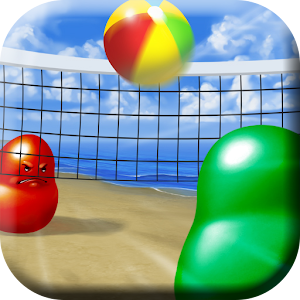
It took me 129 work hours during 8 weeks to implement the game. On average, I worked for 16.125h/week. That's not too bad, bearing in mind the initial assumption that I would commit between 10 and 20 hours a week. I could have probably been more efficient, because I didn't have a full time job at this time, but this amount proved good enough to keep me motivated without making me tired. Also, those 129h don't include reading AndEngine for Game Development Cookbook (I'm still only half way through it) or thinking about design problems (e.g. what the menu should look like, how to implement the AI, etc.).
With my next project, I'd like to stick to some schedule, istead of fitting the work hours whenever I have a free moment. Waking up and starting earlier might help as well. I really enjoy working in the morning and it's usually my most productive time, but getting up after a long evening with friends or a tiring football match is not always easy. I'll have to work on it.
What you're probably the most interested in is how good the game is doing on Google Play and AdMob (note that the data is from two days ago because of the statistics delay on those sites). It has 1266/3044 current/total istalls, which is definitely my best result when it comes to the daily growth. It increased by 178 compared to the previous day. I already made $10.22 on ads: $4.90 and $5.32 on banners and interstitials respectively. The CPMs are $0.50 and $0.56, which is not too high, but I noticed that they're rising as well, so perhaps the Google's algorithm needs some time to adjust. I want to try AdBuddiz in the near future, because I like their ad style and they promise high CPMs. I'll report on that later.
As to the tools and resources that I used, I'd like to mention every single one with a short description:
AndEngine - an Android engine for 2D OpenGL games. It works really fast and is easy to learn (I didn't know it when I started making the game and I managed to learn it in the process). The bad thing is that it lacks an official documentation. However good the code examples might be, they will never replace a detailed description of how the code should be structured. There aren't even decent JavaDocs. I was forced to read online tutorials, but sometimes they weren't enough or were simply outdated. Finally, I got the AndEngine for Game Development Cookbook, but I kept wondering why they didn't publish it for free as the official specification. As a result of bad instructions, you get errors such as NullPointerExceptions when unpausing the game, which could easily be prevented if you had known the solution beforehand. Don't get me wrong, AndEngine is still a great tool to use. Just bear in mind that it has drawbacks as well.
I might try libgdx with my new project, just to be able to compare the two of them and perhaps release for iOS as well. As for now, I don't have any Apple devices and I'm not ready to pay $100 to be able to publish on Apple Store.
AndEnginePhysicsBox2DExtension - an AndEngine extension letting you simulate a physical world with colliding bodies and joints. It's very useful when you want to have some physical behavior in your game and you don't want to code it yourself. Just apply velocities and forces and everything will work magically... unless you want to create something less standard, like my blob/ball collisions which always make the ball bounce with constant velocity. However, by committing some more time to it, you can do it as well.
It was weird for me that Box2D uses the body's center as its position while AndEngine requires coordinates of the top left corner of a sprite. I'm not sure if I was doing something wrong or if it was supposed to work this way, but it was confusing at times.
AndEngineTexturePackerExtension - an AndEngine extension letting you easily load textures created with TexturePacker described below.
AndEngineDebugDrawExtension - an AndEngine extension letting you draw physical bodies to make sure that they are in the right place. It's a must for anyone using Box2D. Otherwise you never know where your bodies really are and debugging physics becomes a nightmare. Too bad that this extension doesn't support changing the value of the meters to pixel ratio. If you want to use it, you have to keep it at 32 and adjust other parameters (like gravity) to obtain a desirable result.

PhysicsEditor - a tool created by the same company as TexturePacker. It helps you assign physical bodies to sprites, when you use the Box2D extension. I lost so much time trying to do those things by hand that I can't even say how helpful it turned out to be. Unfortunately it still has lots of bugs. I reported 7 of them, but I never got any answer. They make your work somewhat less pleasant, but they are relatively minor and constructing physics bodies in the code is definitely not an option. PhysicsEditor costs $20 and there is no free version (only a 7-day trial). You can buy it together with TexturePacker for $50, getting $10 off the total price. Again, you can get it for free, provided that you have a software related blog. See the video below for a nice example.
Rafał Dorsz - he made almost all the graphics for me (except the icon and the logo). He did a great job and was always on time. He worked for free, because he owed me a favor (I wrote a Python program for him some time ago), so next time I guess I'll have to pay him or find some other way to get the graphic resources. I'll be happy to go with the first option, but I want to be sure that I can at least make the same money on the game.
Photoshop - I used it to make the icon, the logo, and prepare other graphic resources before Rafał made me the final versions. It's a great tool, although a bit costly. Use GIMP instead if you want to save money. I installed Export to Android Photoshop Script to make scaling images for various densities easier.
Crittercism - a mobile apps error monitoring tool. It sends information about all uncaught exceptions that happen in your game. At first I thought that it wouldn't be very useful, because Google Play offers a similar service without any changes to your code, but I'm happy I changed my mind (thank you Marcin). I was able to track several bugs this way, while my Google Play console only noticed one of them. Not to mention that it helped me a lot during the testing process. It only requires one line of code to add. You should try it as well if you haven't done it yet. I will definitely add it to all my apps in the near future.
There are other similar tools that you might want to see: Bugsense and ACRA are the most popular. I chose Crittercism, because I was the most familiar with it, although I had a chance to work with others for a short period of time as well. I might write a longer post about it soon.
What went well
As I said, I'm quite happy with the game. I managed to keep up with my schedule and I finished the basic functionality before Christmas, which I believe earned me a lot of installs. AndEngine wasn't that hard to learn, even without any documentation and it turned out rather pleasant to work with. The biggest achievement though were my graphic resources, which I never expected to turn out so well. At first I wanted to do everything by myself, but this way the whole game would look much, much worse. Thanks to Rafał it became the prettiest Blobby Volley clone on Google Play. Next time I decide to create a game, I'll definitely use his services again or hire another designer. I think that a good design can get you a lot of users, while a bad one will make them reject your game, even if it's fun to play.
What could have been done better
Some people wrote to me that it was unwise to publish the game and then forget about it for three weeks. I wasn't going to abandon it totally, but I knew that I would have hardly any time to work on it. In fact, even a worse thing happened. I forgot to upload the keystore before I left for my Christmas break. I found out about it when I was ready to publish my first bug fixes. I couldn't sign the apk file with the same certificate, because I didn't have it, so Google Play didn't let me upload it. All the changes will have to wait until I come back hope in nine days...
Still, I don't regret publishing the game so early. Plenty of people downloaded and liked it. I explicitly wrote in the title that it's a beta version, so occasional crashes shouldn't be a problem. The only bad reviews that I got were due to difficulties in controlling the blob. Some of my friends didn't even notice that they can change the controller type in the menu. Perhaps it should be more clear.
I'm aware that the game doesn't offer too many options, but I'm planning new extensions when I regain access to my computer. People say that the other version is still better. I'd say it's just different. My AI is quite good, my GUI is prettier, I don't have functionality that doesn't work (like achievements in the other game). I'm planning to slowly add new features and I hope to surprise my users in a positive way soon.
Conclusions
I really like making games and I'll definitely try to create another one if my Blobby Volley exceeds the level of $100 a month in earnings. Otherwise, I'm afraid I'll have to focus on things that bring me more than $1 for an hour of my work. Judging by the growth rate though, I have a big chance to succeed and break the threshold amount. I have no idea what my next project will be. I want to focus on fixing the bugs first and making sure I can leave it be without supervision. After that I'll start hunting for another oportunity. Wish me luck and go play my game, if you haven't seen it yet!
Wednesday, December 18, 2013
Blobby Volley for Android: Progress Report 8 (Release!)
I've made it! I managed to release my Blobby Volley clone before going home for Christmas. In fact, my flight is in three hours. I couldn't sleep last night, because I was so excited to publish it and see if people would download it. Finally, I'm going to find out (and hopefully sleep better as well). You can go to Google Play to check it out yourself or simply look at the screenshots below. If you like it, I'd be grateful for a nice rating and a review.


I managed to commit 38 hours to the game this week, even though I was helping with organizing a festival in a nearby city this past weekend, and I was going back home at 2 in the morning. I was able to complete everything that I'd planned: three different levels of artificial intelligence, the menu with basic game options, AdMob ads (including a banner and an interstitial), bug reporting with Crittercism and fixing various issues that came up on the way.
In case it comes in handy for anyone of you, I got rid of the bug causing the ball to stick to the blob when their relative velocity was small by changing the value of the b2_linearSlop constant in the Box2D extension to 0.05 instead of 0.005 and then recompiling the native source. I spent quite some time working on it though, and I nearly gave up at the end only to find a solution when my patience was getting close to its limit.
Also, I got to know just today that there's a known bug in AndEngine causing it to crash when running the onResumeGame() method (which is for example when your game gets paused and then opened again). Luckily, I was able to detect this issue thanks to Crittercism and find a solution on Stack Overflow pretty fast.
I promise to write an in-depth postmortem on the game, mentioning once again all the tools that I used as well as my experiences with AndEngine. However, right now I feel a little tired of it and I want to enjoy my Christmas without too much computers and Android phones involved. Also, this week's interview will be delayed by a couple of days, because I'm going to spend some time away from home. Nonetheless, I can assure you that it will be very interesting when it finally shows up.
I want to finish by wishing you Merry Christmas. Take some rest, spend time with your family and friends and gain a fresh view on your ideas. Have a great holiday and good luck with all your projects in 2014.
Sunday, December 8, 2013
Blobby Volley for Android: Progress Report 7
I'm extremely excited to show you this week's progress. I worked for 16h, mainly on the AI and on integrating new graphic resources delivered by my designer - Rafał Dorsz. Both things turned out very well. Just look at the screenshots below to see how pretty the game has become. I should probably also mention that the bot plays so well that in my best match I was able to score only 5 points (with its 10)... and believe me, I played quite a lot. What is even more surprising, the AI doesn't take into account the net's existence at all (!) and it's often overeager on jumping due to a simple bug that I haven't had enough time to correct. I'm afraid to think how good it will become with some more adjustments. Will I struggle to get even one point?


If you're wondering what those colorful and transparent balls are, they serve for AI debugging purposes to show ball position predictions in key movement moments (at jump height, net height, blob height and on the ground). I decided to leave them visible for now to help you visualize how the bot is working.
The new graphic resources include: two backgrounds with separate nets and their shadows, balls with shading overlays (if you take a closer look, you'll see a light reflex on the ball, which is not spinning) and blobs. The game's theme is picked at random right now, so if you play a couple of times, you should be able to see both the beach and the snow.
What I struggled the most with this week was a strange bug causing the ball to stick to the blob instead of bouncing off it. It happens when their speeds have similar value and direction. I found a suggestion on the AndEngine forum to modify the b2_velocityThreshold value in the PhysicsBox2DExtension and then recompile the native sources, which I did (after learning how to do it first). Unfortunately it didn't help. I have no idea how to get rid of the undesirable effect. It doesn't happen very often, but it looks weird and leaves you with a bad impression of the game. I'll try to commit more time to it later, but I want to focus on more pressing issues first.
In the past couple of days I spent quite some time with pen and paper instead of in front of a computer screen. I was working on physics equations letting me predict the ball's position and speed at different moments. I felt a little rusty at first, but I quickly recovered from a state of math ignorance I've been living in for some time. It was a nice experience bringing back memories of school assignments.
I bought and played Blobby Volley by Daniel Knobe. As expected, it's just an exact PC version clone with adjusted controls. It's not mobile optimized, it looks quite ugly and there is no free version. It's biggest advantage is probably that the code is not new and might have fewer bugs this way. I haven't tried playing online yet. I'm not sure if you can do it with one instance open on your PC and another one on the phone and I don't want to buy it one more time to play on two phones. Anyway, despite costing around $1.25, the game has between 50-100 installs after a week of its release, which I guess is not a bad result, taking into account that there's no free or demo version and that it doesn't look that good.
Plans for the upcoming week include:
- finishing the AI and introducing diversified difficulty levels, so that it's possible to win the game against AI
- adding new graphic resources when they get finished; I expect to get buttons pretty soon and maybe some more backgrounds as well
- designing and implementing a simple options menu, to be able to set the basic game parameters
- fixing the bug causing the ball to stick to the blob instead of bouncing off it
- adding AdMob banners and interstitials
- adding BugSense/Crittercism or a similar bug reporting system
I only have 10 more days until I fly to Poland for Christmas. After that I will not be able to code for 3 weeks, so I'm motivated to publish a beta version of Blobby Volley before I leave. I'm counting on getting a lot of installs through this hottest period for Google Play apps. If my game turns out to be a flop, I might just start a new project. Otherwise, I'll improve it even more, add new settings and game modes. I have plenty of ideas on how to make it more fun, so I hope that people will like it.
Stay tuned for the last (or last but one) progress report before Christmas next week. Another interview with an Android developer will get published in a couple of days as well. Let the countdown begin!
Sunday, December 1, 2013
Blobby Volley for Android: Progress Report 6
The work on my Blobby Volley clone is going quite well. This week, I had a talk with my friend, who's doing the graphics and here's what he managed to come up with:

Looks nice, doesn't it? These are just concepts though, and I'm still waiting for full size backgrounds.
I worked for about 11 hours on the code. I added pause, win and lose overlays, as well as some very basic AI. You can play with a bot now (!), although it's still quite stupid. As a matter of fact, it only moves to the position where the ball is predicted to fall (I spent quite a lot of time writing physics equations for ball movement). It takes into account the fact that the ball can bounce from the walls on the left and right. Unfortunately, it disregards the net almost completely... Oh, it also knows how to serve, although sometimes it doesn't quite make it over the net :) There's plenty of room for improvement, but I have a couple of good ideas on how to make it play better. To be honest, even now the bot is able to score a point from time to time when I play with it.
 |
| pause overlay |
 |
| win overlay |
BTW, the screenshots above are enhanced with Device Art Generator - the official Google tool for wrapping screenshots with real device artwork. To me they look much better than plain images. Don't you think?
I just took a look at Google Play, and it turns out that Daniel Knobe - the author of the original PC version of Blobby Volley released it's Android version yesterday, as promised before. It has between 10 and 50 downloads, costs around $1.25 and there's no free version, so I think my clone can still be successful. Judging from the screenshots, it's just a one-to-one Android remake of the original game, which doesn't look that good and isn't really optimized for mobile devices. I haven't had a chance to play it yet, but I'll probably buy it to take a look at the features and copy the best ones to my app... adding additional stuff, to make it even better.
This week, as soon as a friend of mine leaves on Tuesday and I don't have to work as a city guide anymore, I'll try to spend some time on improving the AI, fixing all the bugs I can find and maybe adding some options to the options screen. I should be able to spare more hours for my game now, since my Italian course has finished. There's a chance that some of the backgrounds will get completed before the next progress report, so you'll be able to assess my designer's skills.
Download the current game apk here.
P.S. Remember about the free Creative, Serious and Playful Science of Android Apps Coursera course which starts tomorrow. If you're an Android beginner or just want to revise your knowledge and get to know other developers - go and sign up.
Download the current game apk here.
P.S. Remember about the free Creative, Serious and Playful Science of Android Apps Coursera course which starts tomorrow. If you're an Android beginner or just want to revise your knowledge and get to know other developers - go and sign up.
Sunday, November 24, 2013
Blobby Volley for Android: Progress Report 5
Last week brought some pretty unexpected events - this time positive ones though. I was working on blob and ball shadows, as well as controller buttons and I had to add a lot more textures to my game. Using TexturePacker, it was quite easy, but I noticed that the free version I was using wouldn't let me change the layout algorithm, resulting in very suboptimal layouts (see the images below). Also, the texture produced this way was much larger than it could be. This, and the fact that I couldn't change the package name in the generated Java file so I had to correct it by hand every time I modified something, convinced me that I needed a full version. The bad news was it cost $40 and I wasn't sure if I was ready to spend so much on my game. I started desperately looking for a way to get it for free... and I found it. I'm not talking here about some black hat method involving key generators, torrents, etc. It's totally legal. The only condition is having a blog about game/software/web development. If you meet this condition, go to the Request a free license section of the Code'n'Web site and apply. It's that easy. You can also request PhysicsEditor, which comes in handy when you create Box2D physic connectors for sprites. I wanted both, and I got them the next day. Yuppie!

 |
| TexturePacker's basic layout algorithm |
|
| TexturePacker's MaxRects layout algorithm - not available in the free version |
The second unexpected thing happened when I was talking on Skype with my friend Justyna, who makes T-shirt designs. You can check out her Facebook profile. She's done some drawing for me in the past, so I was hoping she could help me this time as well. It turned out she's a little busy right now, but her brother, who is an awesome artist as well (take a look at his gallery), is much less occupied. In fact, he owes me a favor after I helped him with a college programming assignment some time ago (I almost forgot about it). I haven't talked to him, because he was finishing a project of his, but I'm planning to make a list of every piece of graphics I can possibly need in the game and ask him what he can do.
Apart from the exciting stuff, I worked hard for another 12h on the following things:
- I added ball and blob shadows
- I'm showing an indicator when the ball is outside of the screen
- I made the movement controls look nicer and behave like buttons (highlight when pressed)
- I moved all physical objects' definitions from code to PhysicsEditor - now I can easily change the bodies without thinking too much about coordinates and writing lengthy methods initializing all the necessary connections
I also read a couple of pages from AndEngine for Game Development Cookbook. Not too many though. I'll try to read more next time.
Take a look at the screenshot below to get a grasp of the current game state. You can also download the latest apk.
This coming week, I'll probably have less time to code, due to my Italian exam (yes, I'm studying the language of Dante), and my friend's visit (he's staying for a couple of days). Nonetheless, I'll try to complete the following:
- limit the number of legal ball hits (perhaps also parametrize it)
- start working on a simple AI
- talk to my graphic designer and decide on what I need and what he can actually deliver
While I spoke with Justyna, she was trying to persuade me to release the game before Christmas, because that's when people download the most apps. I think it's a good idea, so I'll try to finish the basic stuff (namely options, AI and graphics) until then. I'm pretty sure I can make it. I'll leave multiplayer and other more complex features (achievements, advanced game modes, animated backgrounds, etc.) for later. If I get a lot of downloads, it'll give me additional motivation to work. If not, I might just abandon the project and start something else. I believe that the black scenario will not happen though.
I hope you like where the game is going. Feel free to share with me any thoughts you might have. I'll read and consider all of them.
For those who are waiting for another interview, I have a couple of them accumulated and I'll be releasing them every week around Wednesday/Thursday. Come back then to get a new portion of stories, tips and advice from other developers.
Sunday, November 17, 2013
Blobby Volley for Android: Progress Report 4
This week was super productive. I worked for 20h and I managed to read 136 pages of AndEngine for Game Development Cookbook. I feel like my game is getting more and more fun to play. Check out the screenshot below or download the latest apk.

Here's what I spent my time on:
This coming week I want to do the following.
Here's what I spent my time on:
- Instead of relying on my own scaling mechanism, I started using one of those built into AndEngine. This way everything might be a little distorted, but it saves me a lot of work and puts more order into the code.
- I refactored everything once again to be compliant with what they say in the book. You can't see any direct results of this, but believe me, navigating through the code now is much more pleasant.
- I tried playing the existing Android Blobby Volley clone via WiFi and Bluetooth. The former didn't work at all, the latter crashed for the first time and started running when I created the game once again. You can see that there's plenty of room for improvement. Perhaps my app can do it better.
- I fixed a couple of small bugs, one of which allowed blobs to move a couple of pixels inside the net or too far out of the screen.
- I implemented variable height jumping. I followed the instructions from a thread on Stack Exchange, particularly the example code on JSFiddle mentioned there.
- I added blob animations. Now, when they walk or jump, they change their shape a little. I used the AndEngine's EntityModifier functionality. Unfortunately, you can't see it in the screenshot. You have to install the game from the apk file.
- What you can see, is another movement controller. The red button moves the blobs left and the green one right. You can choose which one you want to use and on which side you want it to be (left or right). Too bad, you can only do it from the code right now.
- I parametrized a lot of stuff, so it's easy to change gravity, blob walking speed, blob jumping height, player names and move/jump controller types and sides.
This coming week I want to do the following.
- Add blob and ball shadows, so that they look more natural.
- Show an indicator pointing at the ball, when it's outside of the screen.
- Make the movement controls look nicer.
- If it's not too hard, make it possible to control blobs by tilting the device.
- Start some simple AI.
- Read another 100 pages of AndEngine for Game Development Cookbook.
- Watch some videos/read tutorials about Google Play Services. They might come in handy when it comes to achievements and multiplayer.
Once again, feel free to download and play the game. If you have any remarks or suggestions, leave me a comment below. I will certainly read it and I'll try to put it into practice.
If you like reading my interviews, a brand new one is going to show up in the middle of the week. Don't miss it. As to another progress report, wait for it at the end of the next weekend.
Monday, November 11, 2013
Blobby Volley for Android: Progress Report 3
This week was definitely not a productive one. Neither was it very lucky. But let's start from the beginning.
I only worked for about 3h. I was really busy with other duties and I went for a trip during the weekend. I'm not very proud of this number, but it didn't happen because of my laziness - I honestly had other things to occupy myself with.
Nonetheless, I was able to create a menu screen and an options screen. I also started using the HUD class to display points and FPS. All of those things I learned through the AndEngine Tutorials site. You can take a look at the screenshots below to get a grasp of what I'm talking about or just download the current game apk file.


Other than HUD, menus and legal issues, I was able to enhance the physics a little. Even though I didn't have time to code everything, I'm pretty sure I have it well thought over. If you're observant, you may notice that the ball doesn't influence the blobs' speed anymore (although it was an interesting effect). I transformed the blobs into kinematic bodies and I have a nice plan how to code the rest of the bounce mechanism.
Here's what I want to do in the next 7 days:
As a post scriptum, I want to thank Jeremiah McLeod from XdebugX Games for giving me a tip concerning TexturePacker. He wrote me a comment on the last progress report, indicating that libGDX has it's own TexturePacker which can be used for free, if my trial period expires and it leaves me with insufficient functionality. I didn't have to add any new textures last week, but I'll remember this piece of advice when I have another sprite to add. If you happen to possess a piece of information that might help me with my struggle, please share it as well.
Oh, and one more thing, a lot of people have answered my interview request lately, so you can expect weekly Q&A sessions with various developers. If you have something interesting to say, you can contact me as well at bartas.wesolowski [at] gmail.com... and if you just want to read and learn, come back in a couple of days or even better, sign up for email or RSS updates.
I only worked for about 3h. I was really busy with other duties and I went for a trip during the weekend. I'm not very proud of this number, but it didn't happen because of my laziness - I honestly had other things to occupy myself with.
Nonetheless, I was able to create a menu screen and an options screen. I also started using the HUD class to display points and FPS. All of those things I learned through the AndEngine Tutorials site. You can take a look at the screenshots below to get a grasp of what I'm talking about or just download the current game apk file.
I'm not very happy with what the menu looks like right now, but it'll do for a while, until I design a better one. You may notice that the FPS rate is quite high and on my Nexus 4 phone it stays close to 60 all the time.
Unfortunately, I won't be able to use the resources from the original game. I found a StackOverflow thread about using GPL-licensed images in your projects that said that it's not legal to do so. However, it also said that I might try to ask the author for permission. So I did, but I got the following answer:
I'm sorry to tell you that we have an Android app of Blobby Volley 2
already in incubation (.etatest) which will be released soon:
http://blobby.sourceforge.net/ 30. November ;)
The images and sounds are not OpenSource. So I'm sorry to tell youSo not only can't I use the resources, but also they're writing their own Android version of the game. If fact, they've practically finished it. You can imagine that it didn't make me very happy, but after giving it some thought I decided to finish my game anyway. It's a great learning experience and I think it can still be successful. Especially if I make it better or just different from other existing ones. I'll probably be needing a designer though and I'm still not sure how I'm going to find one and how much I'll be willing to pay him.
that you can't use them. But feel free to use the GPL code for your
stuff under the terms of the GPL.
Other than HUD, menus and legal issues, I was able to enhance the physics a little. Even though I didn't have time to code everything, I'm pretty sure I have it well thought over. If you're observant, you may notice that the ball doesn't influence the blobs' speed anymore (although it was an interesting effect). I transformed the blobs into kinematic bodies and I have a nice plan how to code the rest of the bounce mechanism.
Here's what I want to do in the next 7 days:
- finish up the game physics so it behaves pretty much like the original game
- enable the controls to be on both sides of the net (for left handed people and for those who prefer it this way)
- add other control mechanisms - left/right buttons and possibly gyroscope
- start working on blob animations
- perhaps code a very basic AI
As a post scriptum, I want to thank Jeremiah McLeod from XdebugX Games for giving me a tip concerning TexturePacker. He wrote me a comment on the last progress report, indicating that libGDX has it's own TexturePacker which can be used for free, if my trial period expires and it leaves me with insufficient functionality. I didn't have to add any new textures last week, but I'll remember this piece of advice when I have another sprite to add. If you happen to possess a piece of information that might help me with my struggle, please share it as well.
Oh, and one more thing, a lot of people have answered my interview request lately, so you can expect weekly Q&A sessions with various developers. If you have something interesting to say, you can contact me as well at bartas.wesolowski [at] gmail.com... and if you just want to read and learn, come back in a couple of days or even better, sign up for email or RSS updates.
Subscribe to:
Posts (Atom)