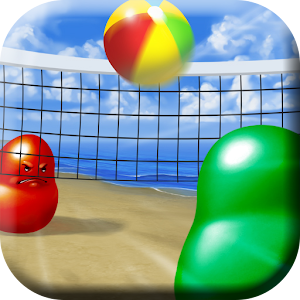
Showing posts with label blobby volley andengine. Show all posts

Tuesday, December 31, 2013

Blobby Volley for Android: Postmortem

It's been two weeks since I released my first full fledged Android game: Blobby Volley. Now it's time to reflect on the creation process and learn from it. I'm very satisfied with the results, but my next game can always be better. Perhaps you can learn something from it as well.

It took me 129 work hours during 8 weeks to implement the game. On average, I worked for 16.125h/week. That's not too bad, bearing in mind the initial assumption that I would commit between 10 and 20 hours a week. I could have probably been more efficient, because I didn't have a full time job at this time, but this amount proved good enough to keep me motivated without making me tired. Also, those 129h don't include reading AndEngine for Game Development Cookbook (I'm still only half way through it) or thinking about design problems (e.g. what the menu should look like, how to implement the AI, etc.).
With my next project, I'd like to stick to some schedule, istead of fitting the work hours whenever I have a free moment. Waking up and starting earlier might help as well. I really enjoy working in the morning and it's usually my most productive time, but getting up after a long evening with friends or a tiring football match is not always easy. I'll have to work on it.

What you're probably the most interested in is how good the game is doing on Google Play and AdMob (note that the data is from two days ago because of the statistics delay on those sites). It has 1266/3044 current/total istalls, which is definitely my best result when it comes to the daily growth. It increased by 178 compared to the previous day.  I already made $10.22 on ads: $4.90 and $5.32 on banners and interstitials respectively. The CPMs are $0.50 and $0.56, which is not too high, but I noticed that they're rising as well, so perhaps the Google's algorithm needs some time to adjust. I want to try AdBuddiz in the near future, because I like their ad style and they promise high CPMs. I'll report on that later.

As to the tools and resources that I used, I'd like to mention every single one with a short description:

AndEngine - an Android engine for 2D OpenGL games. It works really fast and is easy to learn (I didn't know it when I started making the game and I managed to learn it in the process). The bad thing is that it lacks an official documentation. However good the code examples might be, they will never replace a detailed description of how the code should be structured. There aren't even decent JavaDocs. I was forced to read online tutorials, but sometimes they weren't enough or were simply outdated. Finally, I got the AndEngine for Game Development Cookbook, but I kept wondering why they didn't publish it for free as the official specification. As a result of bad instructions, you get errors such as NullPointerExceptions when unpausing the game, which could easily be prevented if you had known the solution beforehand. Don't get me wrong, AndEngine is still a great tool to use. Just bear in mind that it has drawbacks as well.
I might try libgdx with my new project, just to be able to compare the two of them and perhaps release for iOS as well. As for now, I don't have any Apple devices and I'm not ready to pay $100 to be able to publish on Apple Store.

AndEnginePhysicsBox2DExtension - an AndEngine extension letting you simulate a physical world with colliding bodies and joints. It's very useful when you want to have some physical behavior in your game and you don't want to code it yourself. Just apply velocities and forces and everything will work magically... unless you want to create something less standard, like my blob/ball collisions which always make the ball bounce with constant velocity. However, by committing some more time to it, you can do it as well.
It was weird for me that Box2D uses the body's center as its position while AndEngine requires coordinates of the top left corner of a sprite. I'm not sure if I was doing something wrong or if it was supposed to work this way, but it was confusing at times.

AndEngineTexturePackerExtension - an AndEngine extension letting you easily load textures created with TexturePacker described below.

AndEngineDebugDrawExtension - an AndEngine extension letting you draw physical bodies to make sure that they are in the right place. It's a must for anyone using Box2D. Otherwise you never know where your bodies really are and debugging physics becomes a nightmare. Too bad that this extension doesn't support changing the value of the meters to pixel ratio. If you want to use it, you have to keep it at 32 and adjust other parameters (like gravity) to obtain a desirable result.

TexturePacker - a great tool letting you pack your sprites together so that they can be loaded faster. It can also reduce the images' size and significantly simplify the resource loading process by generating the necessary code for you. Its only drawback is the price, which is $40, but I'd still say that it's totally worth it. If you'd rather not pay for it, you can still use the free version. It's somewhat limited, but it has most of the basic functionality and it'll save you plenty of time. If you're a blogger, you can get the license for free (that's what I did). Go to my previous post for instructions.

PhysicsEditor - a tool created by the same company as TexturePacker. It helps you assign physical bodies to sprites, when you use the Box2D extension. I lost so much time trying to do those things by hand that I can't even say how helpful it turned out to be. Unfortunately it still has lots of bugs. I reported 7 of them, but I never got any answer. They make your work somewhat less pleasant, but they are relatively minor and constructing physics bodies in the code is definitely not an option. PhysicsEditor costs $20 and there is no free version (only a 7-day trial). You can buy it together with TexturePacker for $50, getting $10 off the total price. Again, you can get it for free, provided that you have a software related blog. See the video below for a nice example.


Rafał Dorsz - he made almost all the graphics for me (except the icon and the logo). He did a great job and was always on time. He worked for free, because he owed me a favor (I wrote a Python program for him some time ago), so next time I guess I'll have to pay him or find some other way to get the graphic resources. I'll be happy to go with the first option, but I want to be sure that I can at least make the same money on the game.

Photoshop - I used it to make the icon, the logo, and prepare other graphic resources before Rafał made me the final versions. It's a great tool, although a bit costly. Use GIMP instead if you want to save money. I installed Export to Android Photoshop Script to make scaling images for various densities easier.

Crittercism - a mobile apps error monitoring tool. It sends information about all uncaught exceptions that happen in your game. At first I thought that it wouldn't be very useful, because Google Play offers a similar service without any changes to your code, but I'm happy I changed my mind (thank you Marcin). I was able to track several bugs this way, while my Google Play console only noticed one of them. Not to mention that it helped me a lot during the testing process. It only requires one line of code to add. You should try it as well if you haven't done it yet. I will definitely add it to all my apps in the near future.
There are other similar tools that you might want to see: Bugsense and ACRA are the most popular. I chose Crittercism, because I was the most familiar with it, although I had a chance to work with others for a short period of time as well. I might write a longer post about it soon.

What went well


As I said, I'm quite happy with the game. I managed to keep up with my schedule and I finished the basic functionality before Christmas, which I believe earned me a lot of installs. AndEngine wasn't that hard to learn, even without any documentation and it turned out rather pleasant to work with. The biggest achievement though were my graphic resources, which I never expected to turn out so well. At first I wanted to do everything by myself, but this way the whole game would look much, much worse. Thanks to Rafał it became the prettiest Blobby Volley clone on Google Play. Next time I decide to create a game, I'll definitely use his services again or hire another designer. I think that a good design can get you a lot of users, while a bad one will make them reject your game, even if  it's fun to play.

What could have been done better


Some people wrote to me that it was unwise to publish the game and then forget about it for three weeks. I wasn't going to abandon it totally, but I knew that I would have hardly any time to work on it. In fact, even a worse thing happened. I forgot to upload the keystore before I left for my Christmas break. I found out about it when I was ready to publish my first bug fixes. I couldn't sign the apk file with the same certificate, because I didn't have it, so Google Play didn't let me upload it. All the changes will have to wait until I come back hope in nine days...
Still, I don't regret publishing the game so early. Plenty of people downloaded and liked it. I explicitly wrote in the title that it's a beta version, so occasional crashes shouldn't be a problem. The only bad reviews that I got were due to difficulties in controlling the blob. Some of my friends didn't even notice that they can change the controller type in the menu. Perhaps it should be more clear.
I'm aware that the game doesn't offer too many options, but I'm planning new extensions when I regain access to my computer. People say that the other version is still better. I'd say it's just different. My AI is quite good, my GUI is prettier, I don't have functionality that doesn't work (like achievements in the other game). I'm planning to slowly add new features and I hope to surprise my users in a positive way soon.

Conclusions


I really like making games and I'll definitely try to create another one if my Blobby Volley exceeds the level of $100 a month in earnings. Otherwise, I'm afraid I'll have to focus on things that bring me more than $1 for an hour of my work. Judging by the growth rate though, I have a big chance to succeed and break the threshold amount. I have no idea what my next project will be. I want to focus on fixing the bugs first and making sure I can leave it be without supervision. After that I'll start hunting for another oportunity. Wish me luck and go play my game, if you haven't seen it yet!

Wednesday, December 18, 2013

Blobby Volley for Android: Progress Report 8 (Release!)

I've made it! I managed to release my Blobby Volley clone before going home for Christmas. In fact, my flight is in three hours. I couldn't sleep last night, because I was so excited to publish it and see if people would download it. Finally, I'm going to find out (and hopefully sleep better as well). You can go to Google Play to check it out yourself or simply look at the screenshots below. If you like it, I'd be grateful for a nice rating and a review.


Again Rafał Dorsz - my graphic designer has done a tremendous job. Thanks to him the game looks so pretty. I made the logo myself, and I'm quite proud of it as well.

I managed to commit 38 hours to the game this week, even though I was helping with organizing a festival in a nearby city this past weekend, and I was going back home at 2 in the morning. I was able to complete everything that I'd planned: three different levels of artificial intelligence, the menu with basic game options, AdMob ads (including a banner and an interstitial), bug reporting with Crittercism and fixing various issues that came up on the way.

In case it comes in handy for anyone of you, I got rid of the bug causing the ball to stick to the blob when their relative velocity was small by changing the value of the b2_linearSlop constant in the Box2D extension to 0.05 instead of 0.005 and then recompiling the native source. I spent quite some time working on it though, and I nearly gave up at the end only to find a solution when my patience was getting close to its limit.

Also, I got to know just today that there's a known bug in AndEngine causing it to crash when running the onResumeGame() method (which is for example when your game gets paused and then opened again). Luckily, I was able to detect this issue thanks to Crittercism and find a solution on Stack Overflow pretty fast.

I promise to write an in-depth postmortem on the game, mentioning once again all the tools that I used as well as my experiences with AndEngine. However, right now I feel a little tired of it and I want to enjoy my Christmas without too much computers and Android phones involved. Also, this week's interview will be delayed by a couple of days, because I'm going to spend some time away from home. Nonetheless, I can assure you that it will be very interesting when it finally shows up.

I want to finish by wishing you Merry Christmas. Take some rest, spend time with your family and friends and gain a fresh view on your ideas. Have a great holiday and good luck with all your projects in 2014.

Sunday, December 8, 2013

Blobby Volley for Android: Progress Report 7

I'm extremely excited to show you this week's progress. I worked for 16h, mainly on the AI and on integrating new graphic resources delivered by my designer - Rafał Dorsz. Both things turned out very well. Just look at the screenshots below to see how pretty the game has become. I should probably also mention that the bot plays so well that in my best match I was able to score only 5 points (with its 10)... and believe me, I played quite a lot. What is even more surprising, the AI doesn't take into account the net's existence at all (!) and it's often overeager on jumping due to a simple bug that I haven't had enough time to correct. I'm afraid to think how good it will become with some more adjustments. Will I struggle to get even one point?


If you're wondering what those colorful and transparent balls are, they serve for AI debugging purposes to show ball position predictions in key movement moments (at jump height, net height, blob height and on the ground). I decided to leave them visible for now to help you visualize how the bot is working.

The new graphic resources include: two backgrounds with separate nets and their shadows, balls with shading overlays (if you take a closer look, you'll see a light reflex on the ball, which is not spinning) and blobs. The game's theme is picked at random right now, so if you play a couple of times, you should be able to see both the beach and the snow.

What I struggled the most with this week was a strange bug causing the ball to stick to the blob instead of bouncing off it. It happens when their speeds have similar value and direction. I found a suggestion on the AndEngine forum to modify the b2_velocityThreshold value in the PhysicsBox2DExtension and then recompile the native sources, which I did (after learning how to do it first). Unfortunately it didn't help. I have no idea how to get rid of the undesirable effect. It doesn't happen very often, but it looks weird and leaves you with a bad impression of the game. I'll try to commit more time to it later, but I want to focus on more pressing issues first.

In the past couple of days I spent quite some time with pen and paper instead of in front of a computer screen. I was working on physics equations letting me predict the ball's position and speed at different moments. I felt a little rusty at first, but I quickly recovered from a state of math ignorance I've been living in for some time. It was a nice experience bringing back memories of school assignments.

I bought and played Blobby Volley by Daniel Knobe. As expected, it's just an exact PC version clone with adjusted controls. It's not mobile optimized, it looks quite ugly and there is no free version. It's biggest advantage is probably that the code is not new and might have fewer bugs this way. I haven't tried playing online yet. I'm not sure if you can do it with one instance open on your PC and another one on the phone and I don't want to buy it one more time to play on two phones. Anyway, despite costing around $1.25, the game has between 50-100 installs after a week of its release, which I guess is not a bad result, taking into account that there's no free or demo version and that it doesn't look that good.

Plans for the upcoming week include:
  • finishing the AI and introducing diversified difficulty levels, so that it's possible to win the game against AI
  • adding new graphic resources when they get finished; I expect to get buttons pretty soon and maybe some more backgrounds as well
  • designing and implementing a simple options menu, to be able to set the basic game parameters
  • fixing the bug causing the ball to stick to the blob instead of bouncing off it
  • adding AdMob banners and interstitials
  • adding BugSense/Crittercism or a similar bug reporting system

I only have 10 more days until I fly to Poland for Christmas. After that I will not be able to code for 3 weeks, so I'm motivated to publish a beta version of Blobby Volley before I leave. I'm counting on getting a lot of installs through this hottest period for Google Play apps. If my game turns out to be a flop, I might just start a new project. Otherwise, I'll improve it even more, add new settings and game modes. I have plenty of ideas on how to make it more fun, so I hope that people will like it.

Stay tuned for the last (or last but one) progress report before Christmas next week. Another interview with an Android developer will get published in a couple of days as well. Let the countdown begin!

Sunday, December 1, 2013

Blobby Volley for Android: Progress Report 6

The work on my Blobby Volley clone is going quite well. This week, I had a talk with my friend, who's doing the graphics and here's what he managed to come up with:


Looks nice, doesn't it? These are just concepts though, and I'm still waiting for full size backgrounds.

I worked for about 11 hours on the code. I added pause, win and lose overlays, as well as some very basic AI. You can play with a bot now (!), although it's still quite stupid. As a matter of fact, it only moves to the position where the ball is predicted to fall (I spent quite a lot of time writing physics equations for ball movement). It takes into account the fact that the ball can bounce from the walls on the left and right. Unfortunately, it disregards the net almost completely... Oh, it also knows how to serve, although sometimes it doesn't quite make it over the net :) There's plenty of room for improvement, but I have a couple of good ideas on how to make it play better. To be honest, even now the bot is able to score a point from time to time when I play with it.
pause overlay
win overlay

BTW, the screenshots above are enhanced with Device Art Generator - the official Google tool for wrapping screenshots with real device artwork. To me they look much better than plain images. Don't you think?

I just took a look at Google Play, and it turns out that Daniel Knobe - the author of the original PC version of Blobby Volley released it's Android version yesterday, as promised before. It has between 10 and 50 downloads, costs around $1.25 and there's no free version, so I think my clone can still be successful. Judging from the screenshots, it's just a one-to-one Android remake of the original game, which doesn't look that good and isn't really optimized for mobile devices. I haven't had a chance to play it yet, but I'll probably buy it to take a look at the features and copy the best ones to my app... adding additional stuff, to make it even better.

This week, as soon as a friend of mine leaves on Tuesday and I don't have to work as a city guide anymore, I'll try to spend some time on improving the AI, fixing all the bugs I can find and maybe adding some options to the options screen. I should be able to spare more hours for my game now, since my Italian course has finished. There's a chance that some of the backgrounds will get completed before the next progress report, so you'll be able to assess my designer's skills.

Download the current game apk here.

P.S. Remember about the free Creative, Serious and Playful Science of Android Apps Coursera course which starts tomorrow. If you're an Android beginner or just want to revise your knowledge and get to know other developers - go and sign up.


Sunday, November 24, 2013

Blobby Volley for Android: Progress Report 5

Last week brought some pretty unexpected events - this time positive ones though. I was working on blob and ball shadows, as well as controller buttons and I had to add a lot more textures to my game. Using TexturePacker, it was quite easy, but I noticed that the free version I was using wouldn't let me change the layout algorithm, resulting in very suboptimal layouts (see the images below). Also, the texture produced this way was much larger than it could be. This, and the fact that I couldn't change the package name in the generated Java file so I had to correct it by hand every time I modified something, convinced me that I needed a full version. The bad news was it cost $40 and I wasn't sure if I was ready to spend so much on my game. I started desperately looking for a way to get it for free... and I found it. I'm not talking here about some black hat method involving key generators, torrents, etc. It's totally legal. The only condition is having a blog about game/software/web development. If you meet this condition, go to the Request a free license section of the Code'n'Web site and apply. It's that easy. You can also request PhysicsEditor, which comes in handy when you create Box2D physic connectors for sprites. I wanted both, and I got them the next day. Yuppie!

TexturePacker's basic layout algorithm
TexturePacker's MaxRects layout algorithm - not available in the free version
The second unexpected thing happened when I was talking on Skype with my friend Justyna, who makes T-shirt designs. You can check out her Facebook profile. She's done some drawing for me in the past, so I was hoping she could help me this time as well. It turned out she's a little busy right now, but her brother, who is an awesome artist as well (take a look at his gallery), is much less occupied. In fact, he owes me a favor after I helped him with a college programming assignment some time ago (I almost forgot about it). I haven't talked to him, because he was finishing a project of his, but I'm planning to make a list of every piece of graphics I can possibly need in the game and ask him what he can do.

Apart from the exciting stuff, I worked hard for another 12h on the following things:
  • I added ball and blob shadows
  • I'm showing an indicator when the ball is outside of the screen
  • I made the movement controls look nicer and behave like buttons (highlight when pressed)
  • I moved all physical objects' definitions from code to PhysicsEditor - now I can easily change the bodies without thinking too much about coordinates and writing lengthy methods initializing all the necessary connections
I also read a couple of pages from AndEngine for Game Development Cookbook. Not too many though. I'll try to read more next time.

Take a look at the screenshot below to get a grasp of the current game state. You can also download the latest apk.


This coming week, I'll probably have less time to code, due to my Italian exam (yes, I'm studying the language of Dante), and my friend's visit (he's staying for a couple of days). Nonetheless, I'll try to complete the following:
  • limit the number of legal ball hits (perhaps also parametrize it)
  • start working on a simple AI
  • talk to my graphic designer and decide on what I need and what he can actually deliver

While I spoke with Justyna, she was trying to persuade me to release the game before Christmas, because that's when people download the most apps. I think it's a good idea, so I'll try to finish the basic stuff (namely options, AI and graphics) until then. I'm pretty sure I can make it. I'll leave multiplayer and other more complex features (achievements, advanced game modes, animated backgrounds, etc.) for later. If I get a lot of downloads, it'll give me additional motivation to work. If not, I might just abandon the project and start something else. I believe that the black scenario will not happen though.

I hope you like where the game is going. Feel free to share with me any thoughts you might have. I'll read and consider all of them.

For those who are waiting for another interview, I have a couple of them accumulated and I'll be releasing them every week around Wednesday/Thursday. Come back then to get a new portion of stories, tips and advice from other developers. 


Sunday, November 17, 2013

Blobby Volley for Android: Progress Report 4

This week was super productive. I worked for 20h and I managed to read 136 pages of AndEngine for Game Development Cookbook. I feel like my game is getting more and more fun to play. Check out the screenshot below or download the latest apk.


Here's what I spent my time on:

  • Instead of relying on my own scaling mechanism, I started using one of those built into AndEngine. This way everything might be a little distorted, but it saves me a lot of work and puts more order into the code.
  • I refactored everything once again to be compliant with what they say in the book. You can't see any direct results of this, but believe me, navigating through the code now is much more pleasant.
  • I tried playing the existing Android Blobby Volley clone via WiFi and Bluetooth. The former didn't work at all, the latter crashed for the first time and started running when I created the game once again. You can see that there's plenty of room for improvement. Perhaps my app can do it better.
  • I fixed a couple of small bugs, one of which allowed blobs to move a couple of pixels inside the net or too far out of the screen.
  • I implemented variable height jumping. I followed the instructions from a thread on Stack Exchange, particularly the example code on JSFiddle mentioned there.
  • I added blob animations. Now, when they walk or jump, they change their shape a little. I used the AndEngine's EntityModifier functionality. Unfortunately, you can't see it in the screenshot. You have to install the game from the apk file.
  • What you can see, is another movement controller. The red button moves the blobs left and the green one right. You can choose which one you want to use and on which side you want it to be (left or right). Too bad, you can only do it from the code right now.
  • I parametrized a lot of stuff, so it's easy to change gravity, blob walking speed, blob jumping height, player names and move/jump controller types and sides.

This coming week I want to do the following.

  • Add blob and ball shadows, so that they look more natural.
  • Show an indicator pointing at the ball, when it's outside of the screen.
  • Make the movement controls look nicer.
  • If it's not too hard, make it possible to control blobs by tilting the device.
  • Start some simple AI.
  • Read another 100 pages of AndEngine for Game Development Cookbook.
  • Watch some videos/read tutorials about Google Play Services. They might come in handy when it comes to achievements and multiplayer.
Once again, feel free to download and play the game. If you have any remarks or suggestions, leave me a comment below. I will certainly read it and I'll try to put it into practice.

If you like reading my interviews, a brand new one is going to show up in the middle of the week. Don't miss it. As to another progress report, wait for it at the end of the next weekend.

Monday, November 11, 2013

Blobby Volley for Android: Progress Report 3

This week was definitely not a productive one. Neither was it very lucky. But let's start from the beginning.

I only worked for about 3h. I was really busy with other duties and I went for a trip during the weekend. I'm not very proud of this number, but it didn't happen because of my laziness - I honestly had other things to occupy myself with.

Nonetheless, I was able to create a menu screen and an options screen. I also started using the HUD class to display points and FPS. All of those things I learned through the AndEngine Tutorials site. You can take a look at the screenshots below to get a grasp of what I'm talking about or just download the current game apk file.


I'm not very happy with what the menu looks like right now, but it'll do for a while, until I design a better one. You may notice that the FPS rate is quite high and on my Nexus 4 phone it stays close to 60 all the time.

Unfortunately, I won't be able to use the resources from the original game. I found a StackOverflow thread about using GPL-licensed images in your projects that said that it's not legal to do so. However, it also said that I might try to ask the author for permission. So I did, but I got the following answer:
I'm sorry to tell you that we have an Android app of Blobby Volley 2
already in incubation (.etatest) which will be released soon:
http://blobby.sourceforge.net/ 30. November ;)
The images and sounds are not OpenSource. So I'm sorry to tell you
that you can't use them. But feel free to use the GPL code for your
stuff under the terms of the GPL.
So not only can't I use the resources, but also they're writing their own Android version of the game. If fact, they've practically finished it. You can imagine that it didn't make me very happy, but after giving it some thought I decided to finish my game anyway. It's a great learning experience and I think it can still be successful. Especially if I make it better or just different from other existing ones. I'll probably be needing a designer though and I'm still not sure how I'm going to find one and how much I'll be willing to pay him.

Other than HUD, menus and legal issues, I was able to enhance the physics a little. Even though I didn't have time to code everything, I'm pretty sure I have it well thought over. If you're observant, you may notice that the ball doesn't influence the blobs' speed anymore (although it was an interesting effect). I transformed the blobs into kinematic bodies and I have a nice plan how to code the rest of the bounce mechanism.

Here's what I want to do in the next 7 days:
  • finish up the game physics so it behaves pretty much like the original game
  • enable the controls to be on both sides of the net (for left handed people and for those who prefer it this way)
  • add other control mechanisms - left/right buttons and possibly gyroscope
  • start working on blob animations
  • perhaps code a very basic AI
This week made me realize why documentation is important and why good code examples are not enough. AndEngine is lacking a manual and JavaDocs and without those two, you have to come up with your own design patterns and good practices. That's why I decided to get the AndEngine for Android Game Development Cookbook. I haven't started reading it yet, but I'll definitely share my impressions of it later. Also, besides regular progress reports, I'll be telling you, how far through the book I managed to get.


As a post scriptum, I want to thank Jeremiah McLeod from XdebugX Games for giving me a tip concerning TexturePacker. He wrote me a comment on the last progress report, indicating that libGDX has it's own TexturePacker which can be used for free, if my trial period expires and it leaves me with insufficient functionality. I didn't have to add any new textures last week, but I'll remember this piece of advice when I have another sprite to add. If you happen to possess a piece of information that might help me with my struggle, please share it as well.


Oh, and one more thing, a lot of people have answered my interview request lately, so you can expect weekly Q&A sessions with various developers. If you have something interesting to say, you can contact me as well at bartas.wesolowski [at] gmail.com... and if you just want to read and learn, come back in a couple of days or even better, sign up for email or RSS updates.

Monday, November 4, 2013

Blobby Volley for Android - Progress Report 2

Last week I worked for about 12h on my Blobby Volley clone. As I'd predicted earlier, I didn't have as much time as the previous week, but still, I'm quite content with the results. Take a look at the image below.


Here's the list of recent changes:

  • I refactored the existing code, so it's more structured and legible.
  • I read some AndEngine Tutorials to better understand the game programming techniques.
  • I changed the size of the controls - they don't overlap the net any more and it's more difficult to jump unintentionally.
  • I fixed some bugs related to counting points and detecting who should serve - now both things should work correctly.
  • I added player names and points - both use a custom font.
  • I changed the movement mechanism - the blobs don't get stuck in a shaky state when you keep your finger in one spot and they move more smoothly.
  • I adjusted the physics constants, so that the game is more dynamic (although I'm still not quite content with it).
  • I started using TexturePacker to easily prepare and load all my sprites. You can go see a short video on Vimeo, explaining in a nutshell what it's capable of. I'm still on the trial period and I'm a bit worried what will happen when it expires (it doesn't say anywhere). Apparently some features get disabled, but I have no idea which ones... Anyway, here's what my texture looks like now.


Next, I want to do the following:
  • Add a simple splash screen, a menu screen and an options screen, to see how those things work.
  • Adjust the physics some more, to make the gameplay more fun. I noticed, that in the original game the ball doesn't just bounce off the blobs, but it behaves as if they were hitting it. It also never moves as fast as my ball, so I guess I'll have to limit it as well. I might decide to use PhysicsEditor, but I'm not sure about it yet, since it's a paid tool.
  • Enable choosing the controls' side, i.e. placing the movement control on the right and the jump control on the left, if needed.
  • Add variable height jumping, so that when you press the jump button longer, the blob jumps higher.
  • Find out if I can use graphics and sounds from the original PC game without violating the licencse.
  • Learn how to animate the blobs while they jump and walk.
  • Implement some simplistic AI to make the game more enjoyable.

I hope you like the game so far. If you're curious what's going to happen in the next seven days, come back during the weekend and find out.

If you have any constructive remarks or want to give me advice, feel free to use the comments section. I read and appreciate every single comment you leave.

Sunday, October 27, 2013

Blobby Volley for Android - Progress Report 1


It's been a week since I started working on a Blobby Volley clone for Android. Here's what happened during that time.

I managed to work for around 17h (give or take 2h). I used Toggl to track my work time, but I sometimes forgot to turn it off or turn it on, and thus the slight inaccuracy. I'll try to be more diligent in the future. I chose the tool almost at random, taking the first one suggested by Google. It could be more user friendly, but it does the job, so I guess I'll stick with it for now. If you have a better suggestion, I'll be grateful to hear it.

So, I learned the basics of AndEngine and managed to code a playable (although not too enjoyable yet) version of the game. You can donwload the apk and try it out yourself. I'll be publishing the current version of the app every week, so you can keep track of what's been improved.
Right now you control both players at once (no AI yet), by using the buttons in the bottom (the one on the left for movement and the one on the right for jumping). The player who won the last point gets to serve. I actually count the points, but I don't display them yet. I don't like the way the physics works right now, but I'll be working on it this week.

As you can see, I borrowed the background and some of the resources from the original game. I found it on SourceForge. I'm not sure, if I'll be able to keep it in the future for legal reasons, but they'll have to serve for now. If anybody knows if I can use graphics from a game that uses the GPL license in my app without publishing it on the same license, please let me know.

The biggest problem that I had so far was creating complex bodies in the physics engine. I managed to do it eventually following a post on the official forum, but I'm still not sure how the positioning of composite bodies work. Also, what's been bothering me the whole time is the lack of an official documentation of any kind. The code examples are excellent, but browsing them every time you need to use some functionality is not convenient and you have to spend time fishing for the fragments that interest you in the sea of boilerplate code.

Another obstacle appeared when I wanted to export the apk file. I was getting "Conversion to Dalvik format failed with error 1". I think it's a quite common issue, since you get a lot of results when you type it in Google. Unfortunately, none of the suggestions worked for me. Finally, I managed to produce the apk... but I'm still not sure what helped. It must have been a combination of changing the project's properties, cleaning it, removing duplicate libraries, closing Eclipse, removing the gen and bin folders and some other actions. I hope I can do it more smoothly next week.

What helped me immensely was the AndEngine Debug Draw Extension which shows all the physics engine bodies in the scene (take a look at the screenshot on the right). Without it, it would be virtually impossible to track physics bugs. It should definitely become a standard feature. I wasted a ton of time trying to figure out why my blob was moving in a spiraling fashion and when I finally saw the body drawn, I came up with a solution immediately.
What was useful as well was the AndEngine Tutorials site. I haven't read it all, but quite surprisingly, whenever I got myself in trouble and used Google to find an answer, it always showed up as one of the top results. I might give it more attention this week and go through some, if not all, of the tutorials.

What's my plan for this week? I want to show the points, make the physics work better, improve the controls and perhaps implement some basic AI. I'm not sure if I can complete all this, but I'll try to do as much as I can. On Friday I'm going to the mountains for three days, so the next progress report might get published on Monday. I'll also not have as much time to work on the game, but I should be able to commit at least 10h.

I hope you like what I've made so far. Let me know what you think and come back next week for new updates.

P.S. A new interview is going to pop up this week as well.


Saturday, October 19, 2013

I'm making a game with AndEngine

I'm very excited to announce a new project of mine that I've always wanted to do, but I've never had enough time or a good enough idea. Well, it so happens, that I only do some freelancing now and I have some time to spare. I also came up with an idea that seems pretty simple, but decent and fun. But let's start from the beginning.

For a long long time, I've been reading blogs of indie game developers, being jealous about their work and lifestyle. I wanted to make a game myself, but I never really knew where to start. To be quite honest, I made some attempts - I created a couple of board games ages ago and played around with OpenGL, but none of this ever saw the light, so I guess it doesn't count. Now, with more experience and the Google Play Store letting me publish my work, I'm finally ready to give it a try.

I decided to use AndEngine because of its good reviews on the Android Game Engines site, as well as the interviews that I made with other developers. Even though some people said, that libGDX might be more flexible, when I checked out the AndEndine Examples app, it seemed to me that it had everything that I needed. We'll see if I was wrong later on, but I'm pretty sure it's going to turn out positively. AndEngine is open source and free to use, so I won't have to spend a dime to create whatever I want. The only real worry I have is that its documentation is not that solid, but having the source code of all the examples at my disposal as well as a fully functional forum, I should be all right. Oh, I should probably mention that I've never used it before, but I'll be learning as I go.

The game that I want to create is a clone of Blobby Volley. You can get the free version from Google Play or just watch some YouTube videos, to get a grasp of what it's all about. In a nutshell, you play beach voleyball by controlling one of two blobs. Perhaps it doesn't sound that exciting, but play it for 10 minutes and I guarantee that you'll get addicted. You can play against AI or real people, which makes it even more fun. As a matter of fact, there are official leagues and tournaments organized by some crazy individuals. It happens that there is only one Android implementation of this game with between 1 and 5 million installs. I have to admit that it's pretty decent, but I can think of plenty of adjustments to make it even more fun and steal some of its users.

So here's what I'm going to do. The plan is to spend between 10h and 20h a week learning AndEngine and implementing the game, while sharing all the work details with you in a weekly post. I want to see how soon I can teach myself how to code games and finish my first full-fledged product. I want to document all my problems and struggles, so that next time I'll be aware of them. I also want you to be able to follow the whole process, learn from my mistakes and perhaps create something by yourself one day. I'm excited to see the first results, play the game and maybe make it my most popular app.

If you feel like helping me, let me know what enhancements in the original game you'd like to see. I've already come up with some ideas myself: I want to add more backgrounds and customization options (e.g. player colors), wind, perhaps 2 vs. 2 games, 2 balls, and other new game modes. I'll need beta testers as well, so if you want to play my game, write me an email at: bartas.wesolowski [at] google.com with the name of the device that you own. You'll be one of the chosen people on the planet who get to have fun with it before the official release date.

Did I choose the engine and game type well? Can I do it? How long will it take me? What will I have the most problems with? Make a guess and comment or just wait for my first report next weekend.